
Blog apps and tools
Cleaning Apps for ADHD: What Actually Helps, Honestly

You have downloaded a cleaning app before. Maybe three. One of them is still on your phone, sending cheerful little reminders that you swipe away while stepping over the laundry basket.
That does not mean apps cannot help. It means most of them are built for people whose main problem is forgetting, and forgetting is only one of the ways cleaning gets stuck.
Quick answer
The best cleaning app for ADHD makes starting easier: tiny tasks, a visible timer, progress you can see, streaks that forgive missed days and setup under 10 minutes. Chore trackers like Tody and Sweepy remember what is due, task splitters like Goblin Tools break jobs down, and body doubling services add company.
Key takeaways
- Match the app to your stuck point: remembering, starting, finishing or doing it alone.
- Look for tiny tasks, a visible timer, visible progress, forgiving streaks and low setup. Skip anything that needs an evening to configure.
- Chore trackers, task splitters, visual planners, reward apps and body doubling services each solve a different problem. Many people use two.
- Prices and features change. Everything below comes from each app's own site or store page, checked in September 2026.
- An app is a tool, not treatment. A health care provider or mental health professional can help if ADHD is making daily life hard.
Why do so many cleaning apps get abandoned?
NIMH lists frequent trouble organizing tasks, managing time and forgetting daily activities such as chores and errands among the signs of inattention in ADHD. An app can take over the remembering. The catch is that the app itself can become one more thing to remember, set up and keep tidy.
The usual ways it goes wrong are painfully familiar. Setup turns into a weekend project. Notifications become wallpaper by day four. Or you open the app after a busy week and it greets you with a long red list of overdue tasks, which is a very efficient way to make you close it again.
None of that is a character flaw. It is a design mismatch. The fix is to pick an app for the part of cleaning that actually trips you up, and to set it up small.
What features actually matter for ADHD brains?
CHADD, a national ADHD nonprofit, suggests breaking complex tasks into smaller steps, working in short sessions (10 to 15 minutes if longer feels frustrating), and using a timer in 15-minute blocks with breathers. Good apps build those ideas in. Here is what to look for, and the warning signs.
| Feature | Why it helps | Look for | Red flag |
|---|---|---|---|
| Tiny tasks | Small steps are easier to start | "Wipe the counter", not "Clean kitchen" | Only room-sized tasks |
| A visible timer | Makes time something you can see | A countdown you can shorten | Timer hidden behind a paywall you need |
| Visible progress | Shows the win right away | Meters, checkmarks, a done list | Only a list of what is left |
| Forgiving streaks | A missed day is not a reset to zero | Weekly goals, fresh starts, pauses | Streak loss messages that sting |
| Low setup | You start today, not next weekend | Ready-made task lists and defaults | Every task typed in by hand |
| Gentle reminders | Nudges without nagging | One reminder you choose | Five alerts a day by default |
Tip
Before you download anything, finish this sentence: "I usually get stuck at ____." Forgetting, starting, finishing and "only when someone is around" each point to a different kind of app.
What kinds of cleaning apps are there?
TidySprint is made by Viral Labs and is not affiliated with any other app, author or brand named here.
We read each app's own website and App Store page in late September 2026. Features and prices change, so check again before you pay. None of these examples is ranked above the others.
Chore trackers: Tody and Sweepy
These apps remember what needs doing so your head does not have to.
Tody splits your home into rooms and small tasks, and gives each task its own realistic frequency. Its site calls how far along a task is its "dueness": green can wait, red is overdue, and today's list shows only what is due. Motivation comes from Dusty, a smug dust bunny you race each month, and Tody says the race starts fresh every month if you miss a week. Its App Store listing says notifications are optional. As of September 2026, Tody's free plan covers one person with no ads, Premium is $9.99 a year (multiple homes and a Focus Timer) and Premium+ starts at about $25 a year for household sync. It runs on iPhone, iPad and Android, with no web version.
Sweepy shows how clean each room is with visual indicators and gives every task up to 3 points, so you can filter by difficulty and dirtiness. That is handy on a tired day: pick a 1-point task and still make the place a bit better. It has streaks, a household leaderboard, and a parent approval option for kids' tasks. Its site says the auto-generated daily checklist is a premium feature. As of September 2026, the US App Store lists Sweepy premium at $3.99 a month or $19.99 a year, with a 3-day trial.
Our full Tody vs Sweepy comparison goes feature by feature.
Task splitters: Goblin Tools
Goblin Tools is a set of small tools its About page says are mostly designed to help neurodivergent people with tasks they find overwhelming. Its Magic ToDo breaks a task into steps, with a "spiciness" level that tells it how hard the task feels to you: the spicier, the more steps. Taskmaster then walks you through items one at a time with a timer. The website is free with no ads or paywalls, the mobile apps cost a small amount, and some advanced features sit in a paid Pro subscription. The tools use AI, and Goblin Tools itself says the output can vary and should be treated as guesswork, so edit any step that makes no sense for your home.
Visual planners: Tiimo and Structured
These put cleaning into the shape of your whole day, which helps if chores keep losing to everything else.
Tiimo is a visual planner with a timeline, a focus timer, a to-do list and AI that breaks tasks into steps and estimates how long each takes. Its App Store page says the free version includes a basic planner and limited AI chats, and Tiimo Pro (with a 7-day trial on the yearly plan) adds the full feature set. It runs on iPhone, iPad, Apple Watch, Android and the web.
Structured lays your day out as one visual timeline. Its App Store listing puts the timeline, sub-tasks and a focus timer in the free tier, while recurring tasks and routines, calendar connections and "Replan" (which reschedules missed tasks) need Structured Pro, sold monthly, yearly or as a one-time lifetime purchase. The catch for cleaning: repeating chores are the whole point, so check whether you would need Pro.
Reward apps: Finch
Finch is not a cleaning app. It is a self-care app where you look after a small bird by setting daily goals, such as making your bed, and checking them off to earn energy for the bird's adventures. Finch says its core features are free, with an optional Finch Plus subscription. Some people put one tiny chore on the list and let the bird do the motivating.
Body doubling services: Focusmate and Flow Club
CHADD describes a body double as someone who works at the same time as you, in the same room or over video, and says it can help with accountability. CHADD also notes there has not been significant research on why it works, so treat it as an experiment.
Focusmate pairs you one to one with another member for a 25, 50 or 75 minute video session. Its FAQ says cleaning is fine as long as you stay on camera, and as of September 2026 it is free for up to 3 sessions a week, with unlimited sessions at $8 a month billed yearly or $12 billed monthly. Flow Club runs hosted group sessions, and as of September 2026 costs $40 a month or $400 a year. Our guide to body doubling apps and sites compares session lengths, camera rules and costs.
| Kind of app | Examples | Best for | Watch out for |
|---|---|---|---|
| Chore tracker | Tody, Sweepy | Remembering what is due | Setup time, a wall of red |
| Task splitter | Goblin Tools | "Where do I even start?" | AI steps can miss your reality |
| Visual planner | Tiimo, Structured | Fitting chores into the day | Repeating tasks may cost extra |
| Reward app | Finch | Tiny daily wins | Not built around chores |
| Body doubling | Focusmate, Flow Club | Starting with company | Camera, booking ahead, cost |
Fun fact
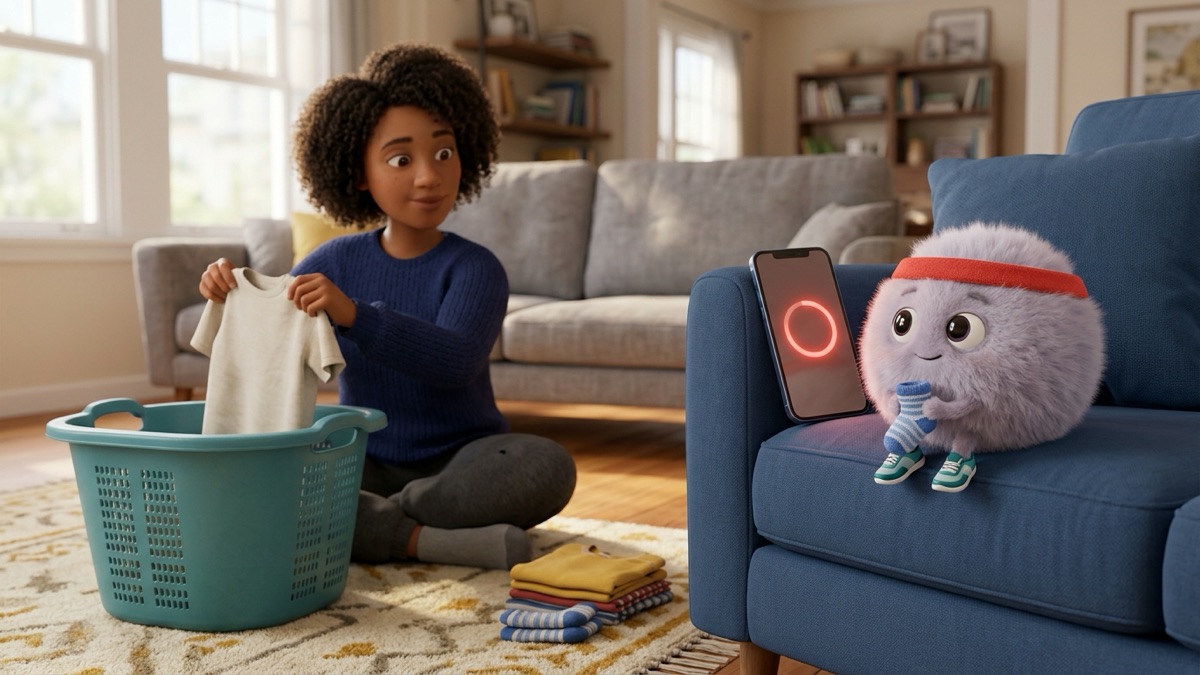
Tody's rival mascot, Dusty, is a dust bunny. So is Zip, the one who jogs next to our free timer. Dust bunnies clearly have a strong union.
How do you pick a cleaning app you will still use next month?
A few rules make almost any app last longer than a week.
- Name your stuck point and pick one kind of app for it. Not three.
- Set up one room only. Add 5 tasks, no more. You can add the rest once the app has earned it.
- Keep one reminder. Pick a time you are usually home and not rushing, and turn off everything else.
- Try it for 7 days, then decide. If it made starting easier twice, it is working. If you dreaded opening it, switch.
- Put trial end dates in your calendar. Several apps above start paid plans with a free trial that renews automatically.
Heads up
Trials renew on their own. On iPhone you cancel in Settings, then your name, then Subscriptions; on Android, in Google Play under Payments and subscriptions. Tody's pricing page describes the same steps.
If you would rather plan on paper, that is a perfectly good system too. Our guide to picking an ADHD planner for adults covers paper, apps and whiteboards side by side, and the cleaning schedule app guide digs into scheduling features.
The 10 minute version
Short on energy? Do this instead of reading reviews for an hour.
| Minutes | Step | Done when |
|---|---|---|
| 0 to 2 | Finish "I usually get stuck at ____" | You have one word |
| 2 to 4 | Pick the matching kind of app from the table above | One app downloaded, or none |
| 4 to 8 | Add one room and 5 tiny tasks | Five tasks on the list |
| 8 to 10 | Do the smallest task right now | One thing is done |
If you skip the app altogether and just do step 4 on a sticky note, that counts. The point was never the app.
Try it
Want the timer and the company without downloading anything? The free cleaning sprint timer gives you one tiny task at a time, a countdown ring and a body double, right in your browser. For the remembering side, the cleaning schedule maker prints a realistic week on one page.
What can no cleaning app do?
It is worth being honest about the limits before you pay for anything.
- No app does the dishes. Every app on this list helps you decide, remember or start. The doing is still you, and that is why tiny tasks matter so much.
- No app knows today's energy. Some let you filter by effort, but you still get to say "just one thing today."
- No app is treatment. Apps are routine tools. If focus, organization or motivation problems are making daily life hard, a health care provider or mental health professional can help, and only a clinician can diagnose ADHD.
- No app sticks forever. Many people find a new app exciting for a couple of weeks, then it fades. Switching is information, not failure. Keep the parts that worked and move on.
For the bigger picture of why cleaning is hard with ADHD and what helps beyond apps, start with our zero-shame ADHD cleaning guide.
The takeaway
The right cleaning app is the one that lowers the bar at the exact spot where you get stuck, and then gets out of the way. Pick one kind, set it up small, and judge it after a week. The TidySprint app, coming soon, will turn a photo of a messy room into tiny tasks and run the sprint with you. Until then, one timer and one tiny task will do nicely.
TidySprint guides share practical cleaning and routine ideas. They are not medical advice, diagnosis or treatment. If ADHD, depression or anything else is making daily life hard, please talk to a clinician. Using a strong cleaner? Open a window, follow the label, and never mix bleach with ammonia, vinegar or other cleaners.
Questions people ask
What is the best cleaning app for ADHD?
There is no single best one. Pick the kind that fixes where you get stuck: a chore tracker if you forget what is due, a task splitter if you cannot start, a visual planner if chores need a slot in your day, and a body doubling service if company helps.
Are there free cleaning apps for ADHD?
Yes. As of September 2026, Tody has a free plan for one person with no ads, the Goblin Tools website is free, and Focusmate allows three free sessions a week. Paid tiers add extras, so check what you actually need first.
Why do I keep abandoning cleaning apps?
Usually because setup was too big, the notifications turned into background noise, or the app showed a wall of overdue tasks. Start with one room and one reminder, and treat switching apps as information, not failure.
Is a cleaning app a form of ADHD treatment?
No. A cleaning app is a routine tool, not medical care. If ADHD is making daily life hard, a health care provider or mental health professional can help.
Where these facts come from
- NIMH: Attention-Deficit/Hyperactivity Disorder, What You Need to Know: www.nimh.nih.gov/health/publications/attention-deficit-hyperactivity-disorder-wh
- CHADD: Organizing the Home and Office Space: chadd.org/for-adults/organizing-the-home-and-office-space/
- CHADD ADHD Weekly: Could a Body Double Help You Increase Your Productivity?: chadd.org/adhd-weekly/could-a-body-double-help-you-increase-your-productivity/
- Tody: The Tody method: todyapp.com/method
- Tody: Pricing: todyapp.com/pricing
- Tody on the App Store: apps.apple.com/us/app/tody/id595339588
- Sweepy: Home Cleaning Schedule (official site): sweepy.app/
- Sweepy on the App Store: apps.apple.com/us/app/sweepy-home-cleaning-schedule/id1498897320
- Goblin Tools: About: goblin.tools/About
- Goblin Tools: Magic ToDo: goblin.tools/ToDo
- Tiimo (official site): www.tiimoapp.com/
- Tiimo on the App Store: apps.apple.com/us/app/tiimo-visual-planner-for-adhd/id1480220328
- Structured on the App Store: apps.apple.com/us/app/structured-daily-planner/id1499198946
- Finch: About Finch: finchcare.com/about-finch
- Focusmate: FAQ: www.focusmate.com/faq/
- Flow Club: How it works: www.flow.club/how-it-works
Read next
speed cleaning
Speed Cleaning: How to Clean Your House Fast, No Burnout


decluttering
The Maybe Box: Declutter Without the Panic
how to clean
How to Clean Baseboards: The 10 Minute Version